- Install Padus DiscJuggler (we use v.6).
- Make sure to use CD-Rs of good quality (we use Verbatim).
- Choose New -> Burn Disc Images och browse to your imagefile.
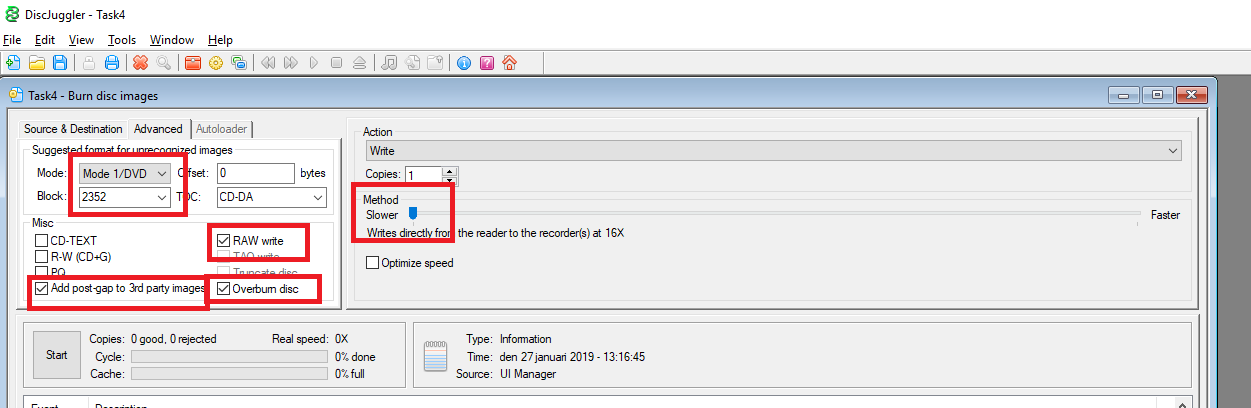
- These settings work in 99 cases of 100 (see image below): Mode1/DVD, 2352 Blocks, click Add post-gap to 3rd party images, RAW write, and Overburn Disc. Pick the slowest (slower) writing speed possible.
Done! If your CD won’t start it might not be set to SelfBot. In that case, you might need the Utopia Boot Disc, which you can burn with the settings above (google!).